
Google's AI Mode Checkout Live on Some Shopify Stores, Causing Some GA4 Issues
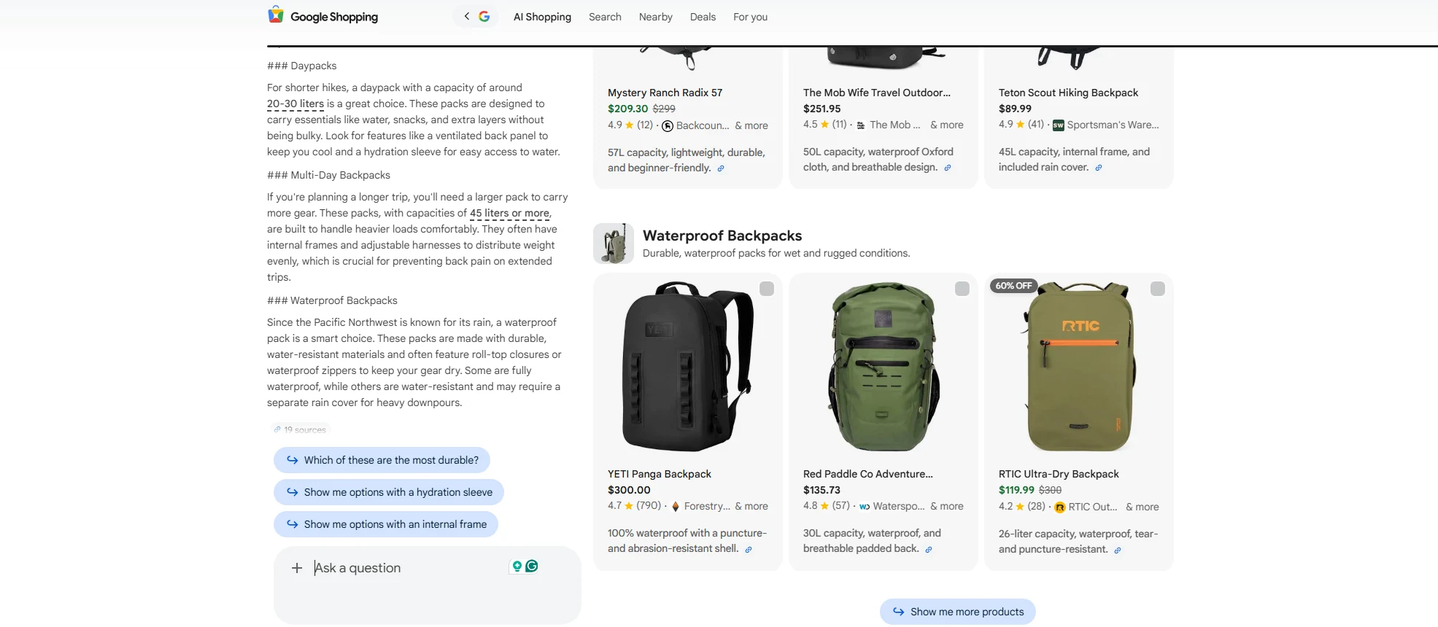
Google quietly auto-enabled native checkout inside AI Mode and Gemini for eligible Shopify merchants between September 18 and 22, 2026. It switched on by default, not through an opt-in. When a customer buys that way, GA4’s purchase event never fires. There’s no order-confirmation page loading on your own site to trigger it.
What changed
Google’s Universal Commerce Protocol (UCP) launched in January 2026. As recently as March 2026, a Google help document still described native checkout as something merchants had to actively opt into. That changed this month. Eligible Shopify stores already matched to a Merchant Center account were switched on automatically. Notification emails went out on September 22, simply confirming the store had been enrolled. There was nothing to configure.
Why GA4 stops seeing these sales
The mechanism is simple once you see it. GA4’s purchase event fires when a customer reaches an order-confirmation page on your own domain. When someone buys directly inside AI Mode or Gemini, that page never loads, so there’s nothing for GA4’s tag to trigger against.
Custom pixels have the same problem. Meta, TikTok, and any other browser-based tracking you’ve set up go dark for these transactions too. Only Shopify’s own server-to-server “started” and “completed” signals fire. Checkout funnel steps, attribution, upsell tracking, and loyalty interactions simply don’t happen.
Google’s own answer is more reporting inside Merchant Center, through its AI Performance Insights and shopping-funnel reports
How to check if this hit you
Opting out is manual. In Shopify admin, go to Sales channels, then Agentic, and toggle native checkout off.
If you haven’t touched this setting, check it now rather than assume you’re unaffected.
This is the same shape of problem as the Shopify checkout.liquid breakage from August, when non-Plus stores lost their checkout-page tracking scripts overnight. That one was a platform quietly turning tracking off. This one is Google quietly moving part of the transaction off your site by default, with the tracking gap as a direct consequence.
Google’s October update: the Merchant Center UCP integration hub
On October 6, 2026, Google rolled out a UCP integration hub inside Merchant Center, reported first by Search Engine Roundtable and Search Engine Land, with Relevant Audience covering the rollout too.
The hub consolidates enrollment for three UCP capabilities: cart transfer, native checkout, and identity linking. Unlike the September rollout, nothing here switches on by default. Merchants work through a sandbox, follow Google’s onboarding guide and developer documentation, submit an interest form, and then select which capability they want.
The hub is rolling out gradually, access depends on eligibility Google hasn’t fully documented, and it’s US-only for now. ppc.land reports that Canada and Australia, previously told to expect access within months, now won’t get it until 2027.
None of the October coverage says what happens to GA4 or pixel tracking inside the hub itself. Based on how the two capabilities work, we’d expect the September problem to carry over specifically to native checkout, since the sale still completes off your site. Cart transfer looks different. It hands the transaction back to your own domain to complete, which should keep the order-confirmation page, and your tracking, intact. That’s our reading of the mechanics, not something Google or any outlet has confirmed directly, so treat it as a question to put to your own Merchant Center rep before you choose between the two.
The actual fix
A practitioner writeup from taggrs.io lays out a workable approach rather than just flagging the problem.
Fire the purchase event server-side from an order webhook, using Measurement Protocol, the Google Ads Conversions API, Meta’s Conversions API, or the TikTok Events API. That way the event doesn’t depend on a browser page load at all.
Deduplicate against your existing browser tag using the transaction ID as the match key, so orders that trigger both events don’t get double-counted.
Set up a dedicated GA4 channel grouping for AI-surface traffic now, before volume grows. Without a baseline in place, you won’t be able to tell how much of your revenue is already moving through this path.
None of this is complicated, but it needs to happen before AI Mode and Gemini checkout volume grows enough to matter. If you manage GA4 for a Shopify client, build this in soon. Don’t wait for someone to ask why revenue and GA4 have stopped agreeing.
Newsletter
Occasional notes on data, tracking & AI-readiness
No spam, no growth-hacking. Just an email when there's something worth reading.