
"Finally, a Conversions API setup that doesn't require web developers" - Read this before acting
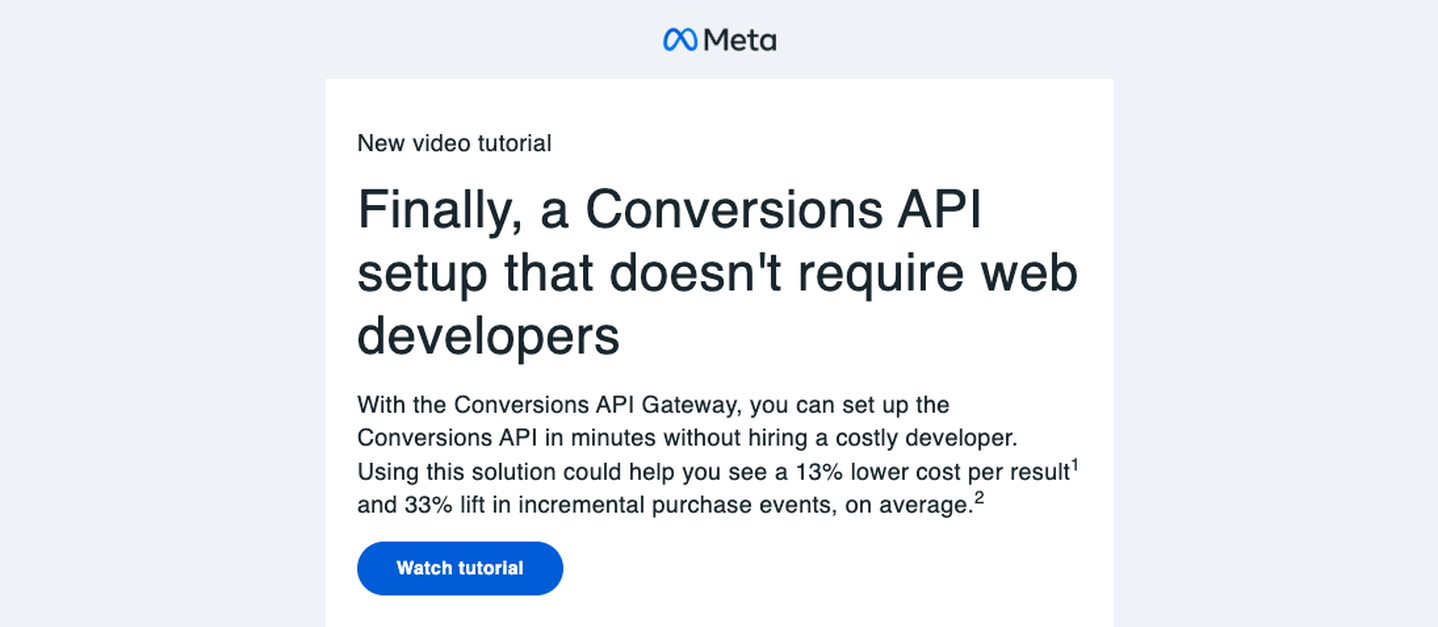
You may have received an email recently from Meta with the subject line “New: Set up the Conversions API without a developer.” It points to a short video tutorial introducing the Conversions API Gateway, a hosted way to get server-side conversion data flowing to Meta without building your own server container. However, it is worth reading the below before you get started.
What the email says
The pitch is simple. The Conversions API (CAPI) normally means setting up server-side infrastructure to send conversion events to Meta directly from your backend, rather than relying only on the browser pixel. That’s traditionally an engineers job. The Gateway skips that: Meta frames it as a two-step process that takes under ten minutes, faster than either a direct integration or building your own server-side GTM setup.
You can set it up directly, or through one of three named Business Partners: Stape, Datahash and Madgicx. The email’s two headline numbers are a 13% lower cost per result and a 33% lift in incremental purchase events, both cited to Meta’s own studies.
Why this is genuinely useful for some businesses
For a business with no CAPI integration at all today, running on browser-pixel tracking alone, this closes a real gap. Pixel-only tracking keeps losing ground to ad blockers, iOS restrictions and cookie consent opt-outs, and a lot of advertisers simply don’t have the resource to build a server-side integration, let alone maintain one. A hosted gateway that gets some server-side signal flowing, even through a partner, is a real improvement over nothing.
Where it’s not that simple
“Without a developer” means the setup is quick. It doesn’t mean there’s nothing to think about.
Choosing the partner route means a third party now sits between your website or CRM and Meta, handling your customer and conversion data on an ongoing basis, not as a one-off job. That’s a new data processor relationship. Each of the three partners will have its own data handling, retention and security practices, and the email says nothing about any of them. That’s worth checking before connecting live customer data, the same as you’d check any new vendor touching personal data, not after you’ve already turned it on.
The two performance numbers are also worth reading past the headline. The 13% cost-per-result figure comes from 28 global A/B tests run between May and August 2022. The 33% incremental-purchase-events figure comes from lift studies run earlier the same year, and Meta’s own footnote says the actual improvement depends on your Event Match Quality (EMQ) score, measured specifically between a score of 5.0 and 7.0. Both numbers are now roughly four years old, and both come from Meta measuring its own product. That’s useful context, not a guarantee of what you’ll see on your account in 2026. If your current EMQ score is low, a quick gateway setup won’t automatically fix that. Match quality depends on what identifiers you’re actually passing through, not just on which pipe you use to send them. If the data doesn’t exist today in Meta, it’s unlikely to be there just by switching this on and not changing the incoming source.
When to build it yourself instead
If you’ve already got server-side GTM running, or the available resource, building the integration directly gives you something the gateway doesn’t: control over exactly what’s sent, how it’s hashed, and how deduplication against the browser pixel works. You can audit it, rather than depend on a partner’s implementation. We’ve written up that build-it-yourself version, using Meta’s own facebookincubator template on a server-side GTM container, deduplicated against the client-side pixel on a shared event ID, in our guide to implementing Facebook’s Conversions API using GTM server-side. The same core point applies whichever route you take: loop in whoever owns data protection before you start sending customer data to Meta, hash what needs hashing, and strip test event codes before anything goes live.
Before you turn this on
A short checklist, whichever route you pick:
- Check the data handling and retention terms for whichever partner you connect, not just Meta’s own.
- Know your current EMQ score before you set an expectation for how much this will move, since the lift Meta cites depends on it.
- Treat the 13%/33% figures as a general direction from Meta’s own testing, not a forecast for your account.
- Run it as an addition to your existing tracking for a few weeks before retiring anything else, so you can see what actually changed for you.
Newsletter
Occasional notes on data, tracking & AI-readiness
No spam, no growth-hacking. Just an email when there's something worth reading.