
Explaining BigQuery Conversational Analytics
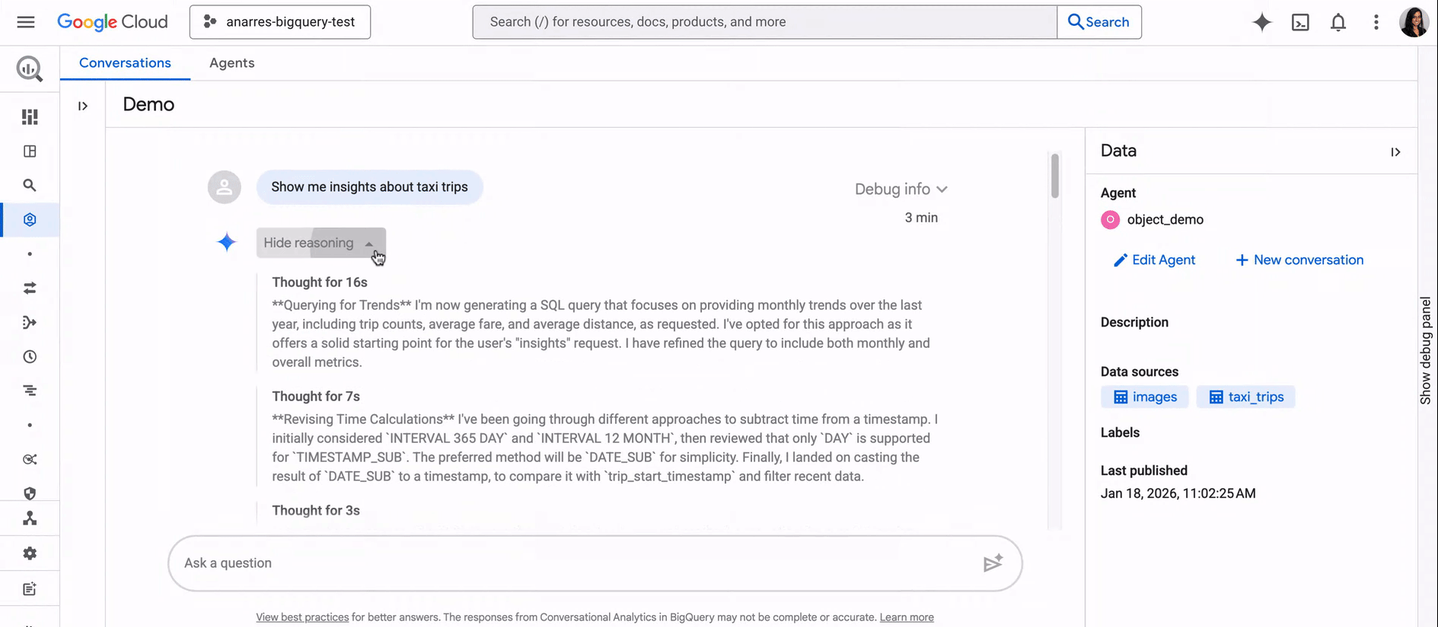
BigQuery has had a way to ask your data questions in plain English for a while now. What’s changed is that it’s stopped being a demo feature and started being something you can actually govern, reuse, and hand to people who don’t write SQL.
What it is
Conversational Analytics, per Google’s own documentation, is powered by Gemini and lets people query BigQuery data in natural language instead of writing SQL. The part that makes it more than a chatbot bolted onto a warehouse is the Data Agent: a defined object made up of knowledge sources (the tables, views, or graphs it’s allowed to see) plus a set of instructions for how to interpret questions about that data.
A single agent can be pointed at up to 100 knowledge sources: tables, views, user-defined functions, or a graph. You build it once, configure it properly, and then share it with the team, rather than every person who wants to ask a question having to set up their own connection and hope Gemini guesses correctly what a column means.
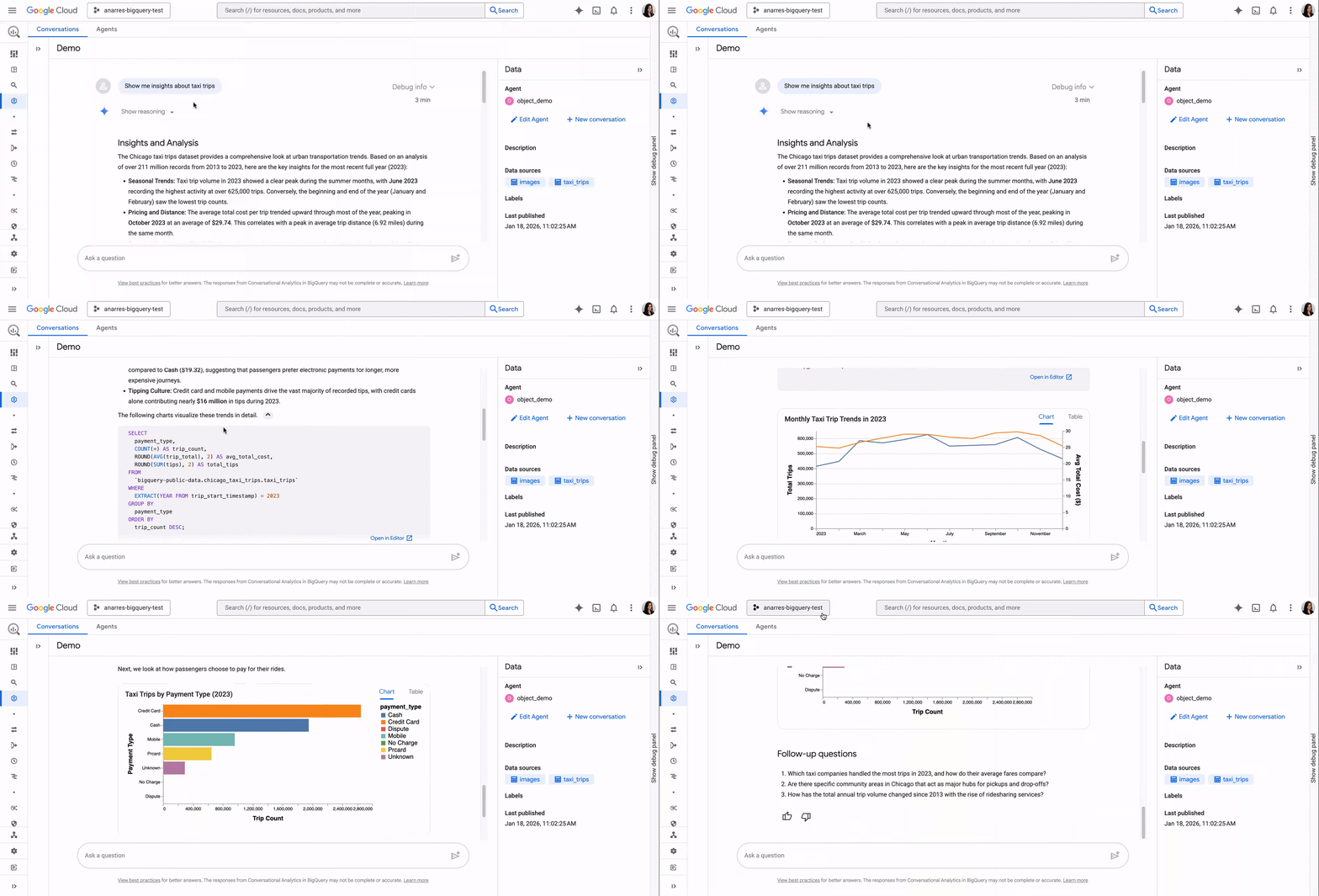
Here’s what that actually looks like in practice, a published agent answering a broad, open-ended question about a taxi trips dataset (all gifs taken from Google’s announcement here):
Why the governance layer matters more than the chat interface
Three features do the actual work of making this reliable rather than a novelty:
Glossaries: An agent can use a custom BigQuery glossary or pull in business terms already defined in Knowledge Catalog. This is important because column name alone doesn’t tell an agent (or a new analyst) what “GMV” or “active customer” actually means for your business. A glossary attaches that definition once, and every question against the agent benefits from it.
Verified queries: Previously called golden queries. These are deterministic SQL statements the agent runs when a user’s question matches, rather than generating fresh SQL every time. They support parameters and BigQuery’s AI/ML functions. For the handful of questions that get asked constantly (this month’s revenue by region, last week’s signup trend), a verified query means the answer comes from SQL someone actually reviewed, not a fresh generation that might be subtly wrong.
Metadata and instructions: You can add synonyms, default filters, and grouping preferences at the table and field level, steering the agent toward the interpretation you actually want rather than the most literal one.
Put together, this is a genuinely different thing from “connect an LLM to a database and hope”. It’s closer to building a reviewed, reusable interface to a specific slice of your data, then letting people ask it questions inside guardrails someone actually set.
What it can actually do beyond running a query
Conversational Analytics calls into BigQuery ML functions to answer questions that aren’t just “run this SQL and return rows.” Per Google’s own documentation, that includes:
- Forecasting: Via `AI.FORECAST, “predict the number of trips for the next month,” answered as a genuine forecast, not a lookup.
- Anomaly detection: Via
AI.DETECT_ANOMALIES, finding outliers against a baseline period. - Semantic search: Via
AI.SEARCH(orAI.SIMILARITYwhere autonomous embedding generation isn’t enabled on the table). - Key driver analysis: Via
AI.KEY_DRIVERS, identifying which factors actually moved a metric between two periods, rather than a human staring at a pivot table guessing.
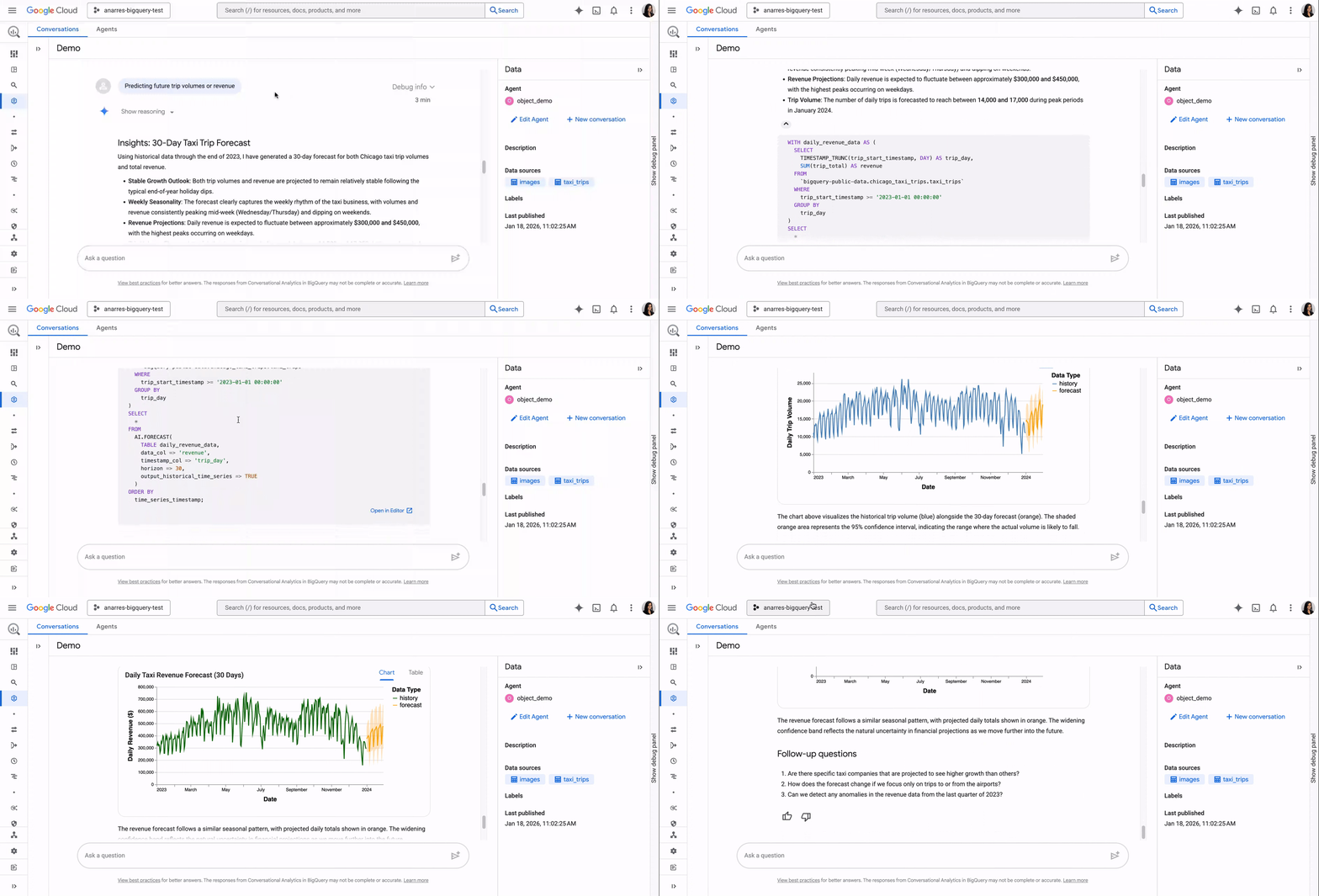
The same taxi trips agent, asked to predict future volumes instead of just summarising the past, returns an actual 30-day forecast rather than a raw query result:
That’s the detail worth sitting with. “Why did this metric move” is one of the most common questions a business stakeholder asks an analyst, and it’s historically one of the hardest to answer well, because it requires someone to actually run a driver analysis, not just pull a number. If Conversational Analytics can route that question to AI.KEY_DRIVERS and get a real analytical answer back, that’s a materially different capability than “chat with your spreadsheet.”
Where this fits in a pattern we’ve been tracking
This isn’t an isolated launch. It’s the latest step in a run of BigQuery updates this project has been following since August: agents getting expanded console access, observability for what those agents are actually doing and costing, Terraform-managed column masking, access-controlled Knowledge Catalog integration, and, on September 3, the Conversational Analytics API itself picking up agent observability, a multi-step “Deep Dive” reasoning mode, HIPAA compliance, and formal access controls. Read together, the pattern holds: Google keeps giving these agents more capability, and keeps shipping the governance layer in the same breath. Data Agents, glossaries, and verified queries are that same governance instinct applied to the actual analytics use case, not just the plumbing underneath it.
The honest limitation
Google’s own documentation calls this “early-stage technology” and warns that Gemini can produce “output that seems plausible but is factually incorrect.” A Data Agent also can’t run write operations or DML, can’t combine table and graph sources in the same agent, and broadly-scoped agents are explicitly flagged as prone to instructional conflicts and inconsistent answers. None of that is a reason to dismiss it. It’s a reason to scope agents narrowly and review what comes back, the same discipline that applies to any AI-generated output touching your data.
What to actually do about it
If you’re already running BigQuery, this is worth a pilot, not a full rollout. Pick one well-understood domain (a sales table, a marketing performance view) with fewer than 100 sources, define the glossary terms that actually cause confusion on your team, and write verified queries for the two or three questions people ask every week. That’s a genuinely different exercise from “turn on a chatbot,” and it’s the difference between an agent people trust and one they stop using after the first wrong answer.
Newsletter
Occasional notes on data, tracking & AI-readiness
No spam, no growth-hacking. Just an email when there's something worth reading.